
Download RPN Calculator APK – RPN Calculator, Reverse Polish notation, scientific calculator, math tool, Android app, free calculator, mobile calculator, math utility, equation solver, calculation tool
Overview
RPN Calculator is a specialized Android application designed for users who work with complex mathematical expressions using Reverse Polish Notation (RPN). This desktop-style calculator offers a streamlined interface tailored for professionals and students in scientific, engineering, or financial fields who rely on precise, step-by-step calculations. The app enables users to input equations in RPN format, which can improve efficiency and reduce errors in multi-step computations.
It is particularly suited for individuals who are already familiar with RPN logic and wish to maintain consistency across devices. The software runs on Android devices and was released in 2012, indicating it has been in use for over a decade. While the developer’s name is listed, no additional background or company information is available.
The application is free to download and use, making it accessible to a broad audience. Real-world usage includes solving trigonometric functions, logarithmic expressions, and financial modeling tasks. Despite its niche focus, the app aims to serve as a portable alternative to physical calculators, especially for those who prefer a minimalist, keyboard-driven workflow.
Key Features & Capabilities
- Reverse Polish Notation Support – Allows users to enter mathematical expressions in RPN format, which processes operations after operands are entered, reducing the need for parentheses and improving calculation speed.
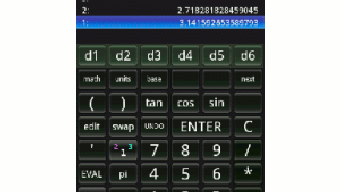
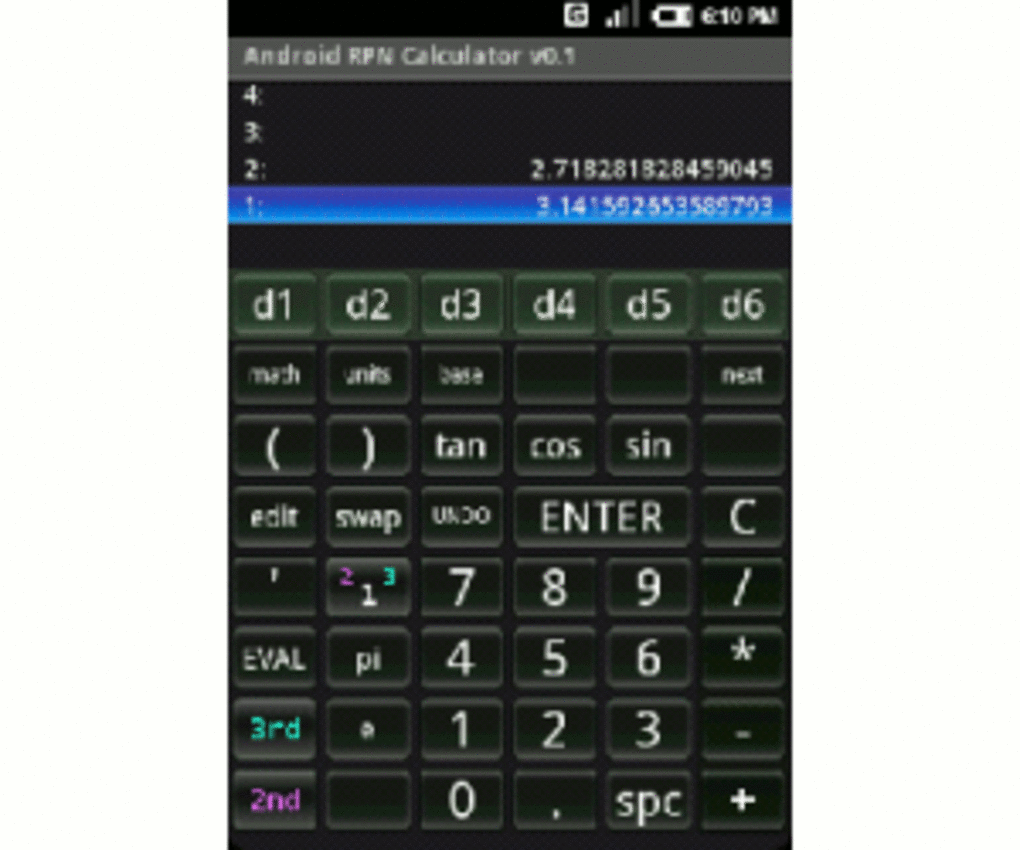
- Large Number Pad Display – Features a prominent display area with clearly labeled number keys, enhancing visibility and reducing input errors during complex calculations.
- Function Keys Above Display – Includes a set of mathematical operation keys positioned above the number pad, providing quick access to essential functions like addition, subtraction, multiplication, division, and more.
- Customizable Settings – Users can adjust rounding preferences, number types (e.g., integer, floating-point), and decimal place configurations to suit specific calculation needs.
- Menu Bar Functionality – Offers a navigation menu to access settings and configuration options, supporting a structured user experience despite limited visual feedback.
These features make RPN Calculator suitable for daily use in academic settings, technical documentation, or fieldwork where quick, accurate calculations are essential. The app’s focus on RPN logic helps users practice and reinforce their understanding of stack-based computation, which is valuable in computer science and advanced mathematics. While the interface is functional, its lack of a help system may hinder users unfamiliar with RPN conventions. The app’s design prioritizes utility over guidance, making it ideal for experienced users but potentially challenging for beginners.
User Interface, Workflow & Performance
The user interface of RPN Calculator is built around a large number pad and a row of function keys positioned above it, creating a clean and focused layout. Navigation is primarily gesture-based, relying on button presses to input values and execute operations. The design emphasizes clarity through large buttons and well-labeled keys, which supports efficient input, especially during extended use.
However, the settings menu suffers from poor visual contrast: white highlights on a white background make it difficult to distinguish active options, requiring users to squint or reposition the device to read selections. This issue impacts usability and may lead to accidental misconfigurations. The workflow follows a standard RPN sequence—enter numbers, then apply operations—making it predictable once mastered.
Performance observations are based on general software behavior patterns, as specific resource usage details were not provided. The app runs on Android and has a file size of 1.2 MB, suggesting minimal system demands. Stability and responsiveness are not explicitly documented, but user reports indicate the presence of bugs, including buttons returning 'not implemented' errors.
This may affect workflow consistency, particularly during critical calculations.
Compatibility & System Requirements
RPN Calculator is designed for Android operating systems and was released on April 21, 2012. The application has a file size of 1.2 MB, which indicates it is lightweight and likely compatible with a wide range of devices. However, compatibility information is limited.
The developer did not specify exact hardware requirements or supported Android versions. The app is currently available only for HVGA-P display resolutions, which restricts its use to older or lower-resolution screens. This limitation may prevent installation on modern high-DPI devices.
No mention of tablet support or multi-window functionality was included. The absence of detailed system requirements means users should proceed with caution when attempting to install the app on newer devices. The developer did not provide additional system requirements, and performance on current Android versions remains uncertain.
Users are advised to test compatibility on their specific device before relying on the app for critical tasks.
Pros and Cons
Pros
- Free to download and use, making it accessible for students and budget-conscious users.
- Compact size (1.2 MB) ensures minimal storage impact on Android devices.
- Supports Reverse Polish Notation, ideal for users familiar with stack-based calculation methods.
- Large, well-labeled buttons improve input accuracy and ease of use.
- Customizable settings for rounding, number types, and decimal placement.
Cons
- Settings menu has poor visual contrast, making options hard to read.
- Some buttons return 'not implemented' errors, indicating instability.
- Only supports HVGA-P display resolution, limiting compatibility with modern devices.
- Lacks a built-in help system or tutorial for new users.
- App appears outdated, with no visible updates since 2012.
FAQ Section
Is RPN Calculator compatible with all Android devices?
The app is currently available only for HVGA-P displays, which restricts compatibility to older or lower-resolution Android devices. It may not function properly on modern high-DPI screens.
Is the app safe to download and use?
As the app is free and available from third-party sources, users should ensure they download it from trusted platforms. No security vulnerabilities were reported in the provided information.
Does RPN Calculator require an internet connection?
No, the app operates offline and does not require an internet connection to perform calculations.
Can I update RPN Calculator to the latest version?
The app was last released in 2012, and no update information was provided. Users should check the source platform for any potential updates.
What type of license does RPN Calculator use?
The app is free to download and use without a subscription or purchase. No formal license details were specified.
Final Thoughts + CTA
RPN Calculator offers a niche but functional solution for users who rely on Reverse Polish Notation in their daily work or studies. Its lightweight design, customizable settings, and focus on stack-based computation make it a valuable tool for experienced mathematicians and engineers. However, the app’s outdated interface, limited display compatibility, and presence of unimplemented features significantly impact its reliability and usability on modern devices.
The lack of a help system and poor visual design in the settings menu further reduce its accessibility for beginners. While it remains a free and portable alternative to physical calculators, users should carefully evaluate compatibility with their device before installation. For those already proficient in RPN and using older Android hardware, it may still serve as a practical utility.
For others, more modern and actively maintained alternatives are recommended. Download RPN Calculator now and see if it fits your calculation needs.






.png)
